
Passport Seva Kendra Apply & Track Your Passport
Instant Document Requirement Checker
Simplified Eligibility Criteria for All Ages
Step-by-Step Instructions for New Applications
100% Free Resources – No Service Fees
What Is Passport Seva?
Passport Seva Kendra is the official online passport service system of the Government of India, launched by the Ministry of External Affairs (MEA) to make passport-related services simple, fast, and transparent for citizens.
Earlier, people had to visit passport offices multiple times, stand in long queues, and had to pay extra charges to agents.
With the launch of the Passport Seva online portal, most of the passport process is now digital from application to delivery tracking.
Passport Seva Registration Process Quick Overview
Quick 4-step guide to get started
Visit Portal
Go to the official Passport Seva website.
New User
Click on ‘New User Registration’ link.
Fill Details
Enter your PSK center and personal info.
Activate
Verify your account via the email link.
Important: Ensure your email ID is active, as all future updates will be sent there.
Which Passport Service Should You Apply For?
It offers following issuances services you can choose one depending on the service you need.
Fresh Passport Service
For citizens who have never held an Indian passport before.
Renewal/Re-issue Service
For those who already hold a passport but need a new booklet.
Tatkal Service
For urgent travel needs requiring prioritized processing.
*Note: Police Verification requirements vary based on the category selected.
Passport Requirements Checker 2026
Select your details to see exact official fees, required documents, timeline, and easy-to-understand notes (including for minors & applications from abroad)
Minors only get 36-page passports (60 pages not available).
This tool uses exact official fees and rules from the Ministry of External Affairs (January 2026). Always double-check on the official Passport Seva portal or Indian embassy for your case.
How to Apply for a Passport Through Passport Seva
Follow the steps given below to apply for the passport online.
Visit the Official Website
Bookmark the site for future use or use the mPassport Seva app if the portal is down.
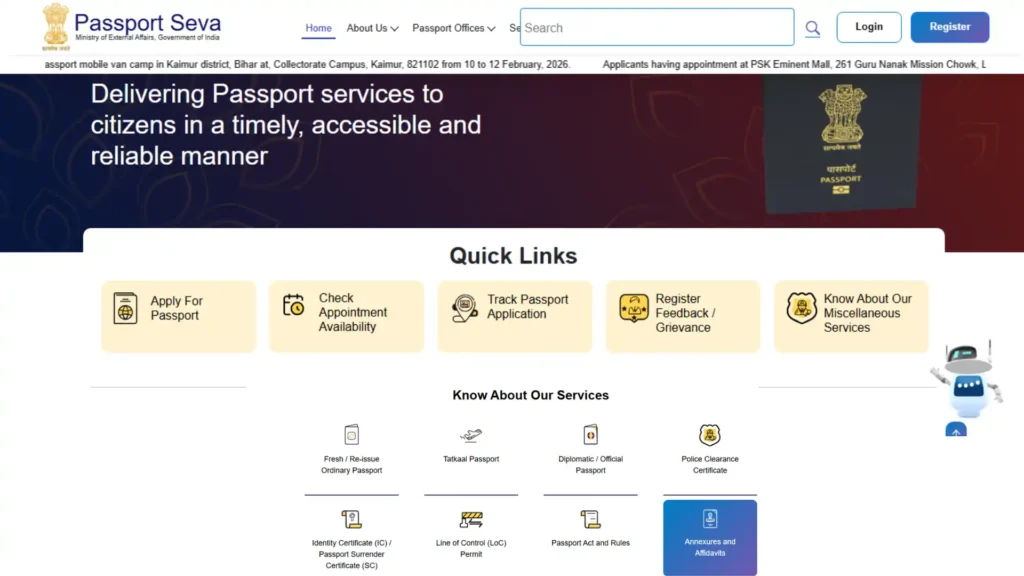
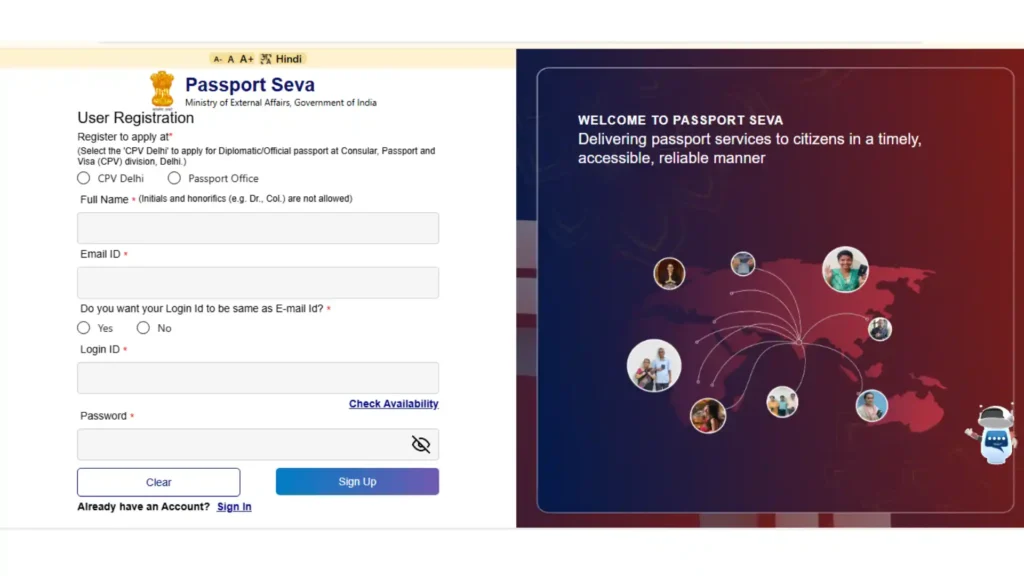
Register on the Passport Seva Portal
Follow these account creation steps:
Example: If your email is “[email protected],” this will be your Login ID.
Write down your password and ensure your email is active and accessible.
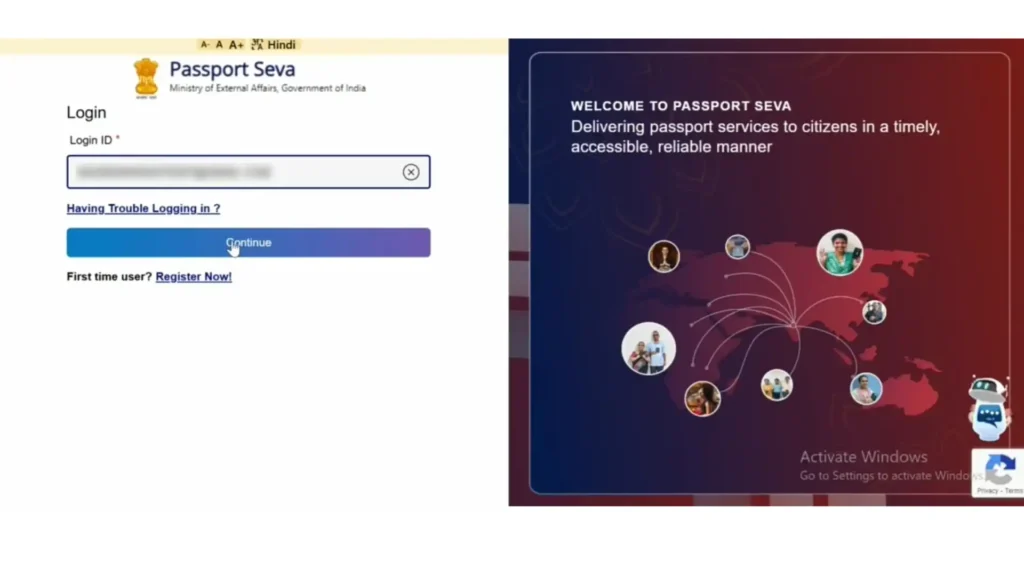
Login to Passport Seva Portal
Always check the top-right corner for your login ID to ensure you are in the correct account.
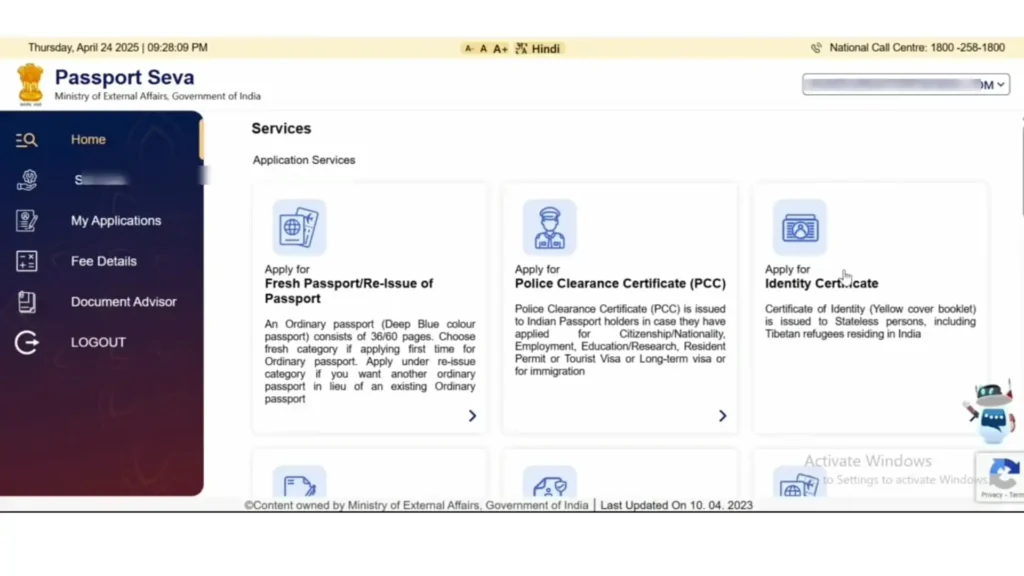
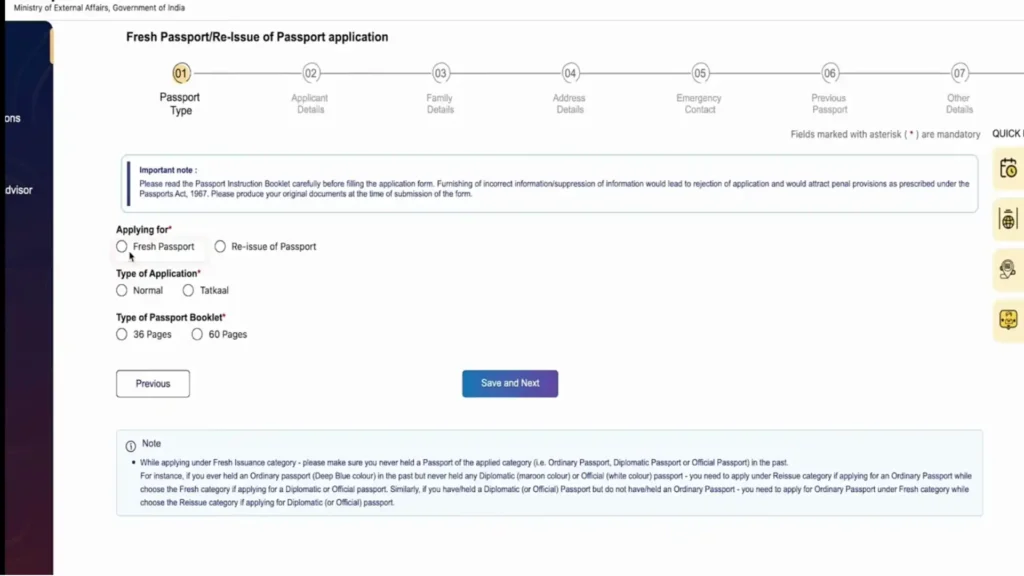
Apply for Fresh Passport
From the dashboard:
Only select Tatkal if you need your passport urgently, as it costs more and has stricter rules.
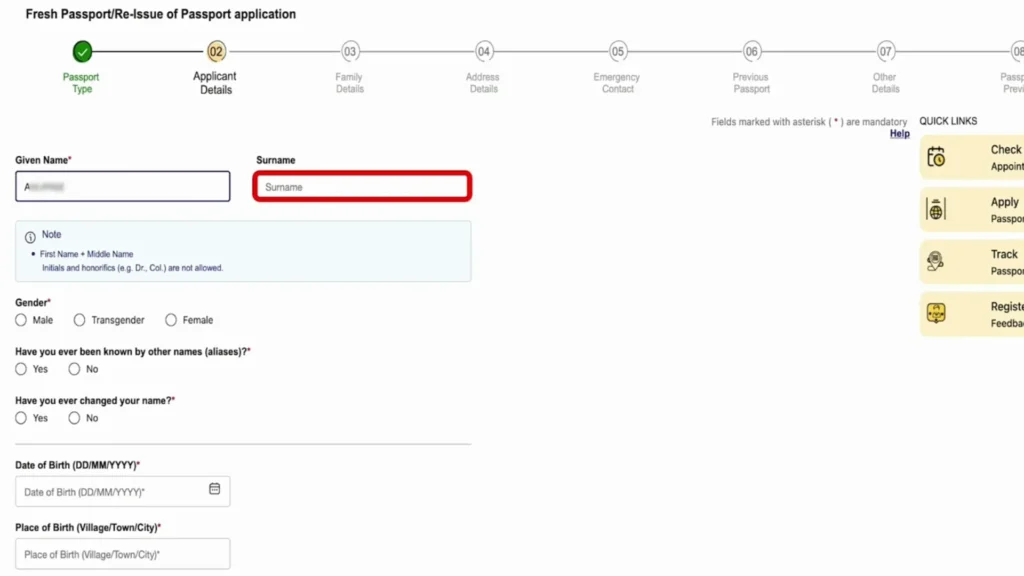
Fill Personal Details Carefully
This step is very important and fill information carefully to avoid delays. Ensure you fill in:
Incorrect details may delay your police verification or lead to the rejection of your application.
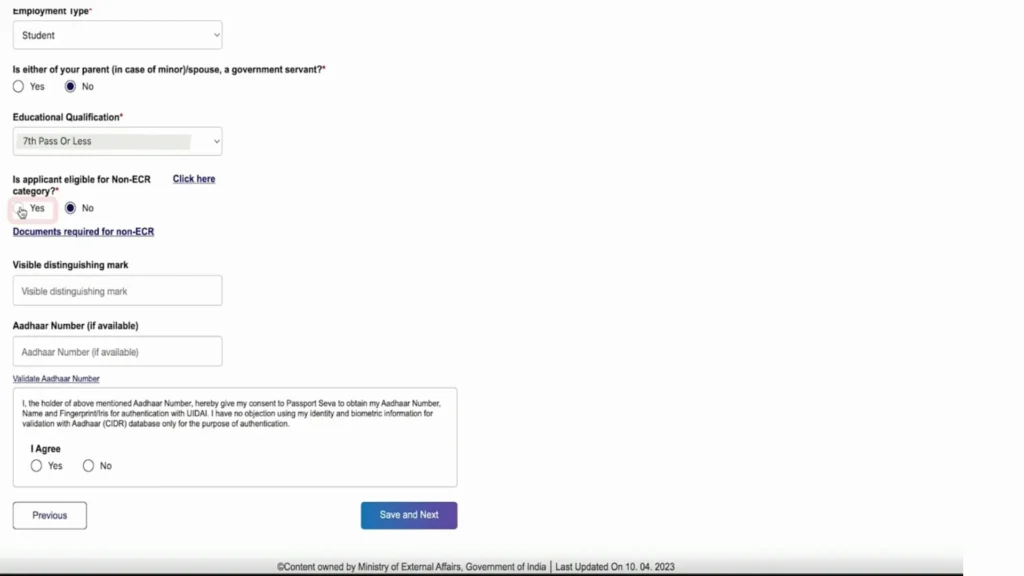
Government Servant & Education Details
Your education level determines your travel permissions (ECR vs. Non-ECR):
Important: Once you click save, an application number is generated. Write it down safely.
If you don’t have high school marksheets, filing ITR (Income Tax Return) can also qualify you for the Non-ECR category.
Enter Family Details
Enter correct information about your family as per your official documents:
For minors, both parents’ names must match the documents uploaded exactly. Any mismatch can delay police verification significantly.
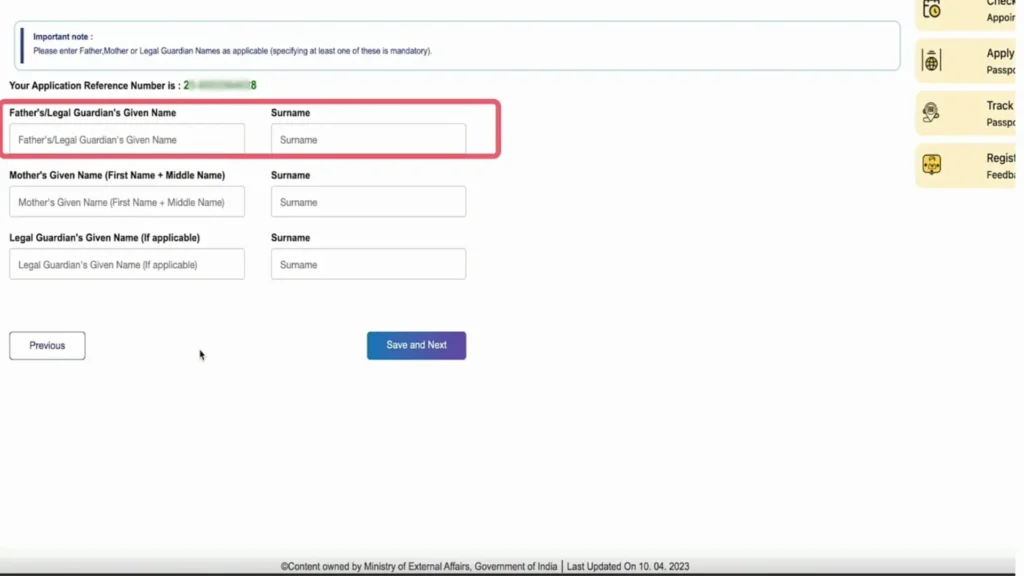
Permanent and Emergency Address Details
The address you enter here is where the police will visit for verification:
Emergency Contact Details
Provide the contact info of a close family member or legal guardian:
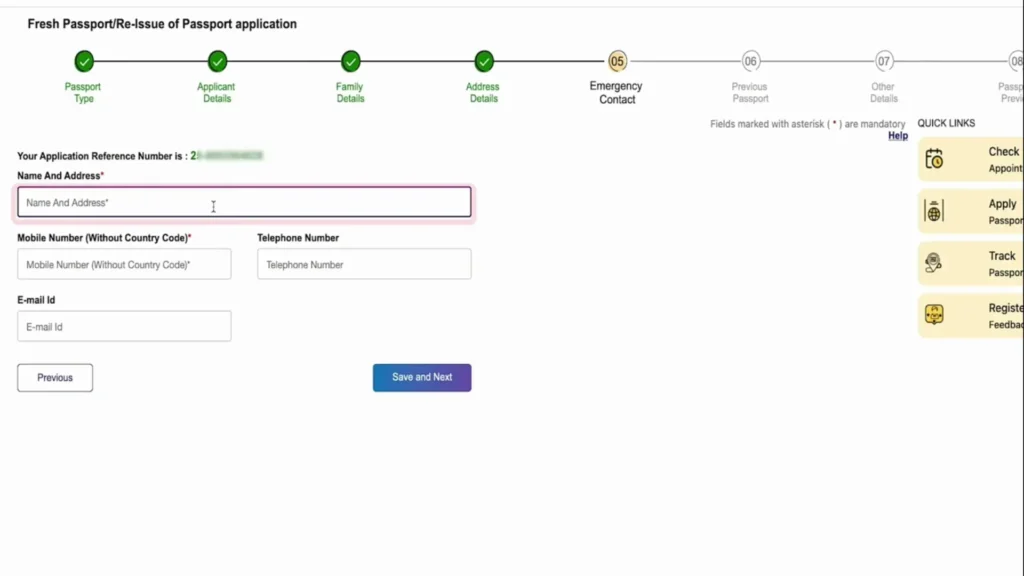
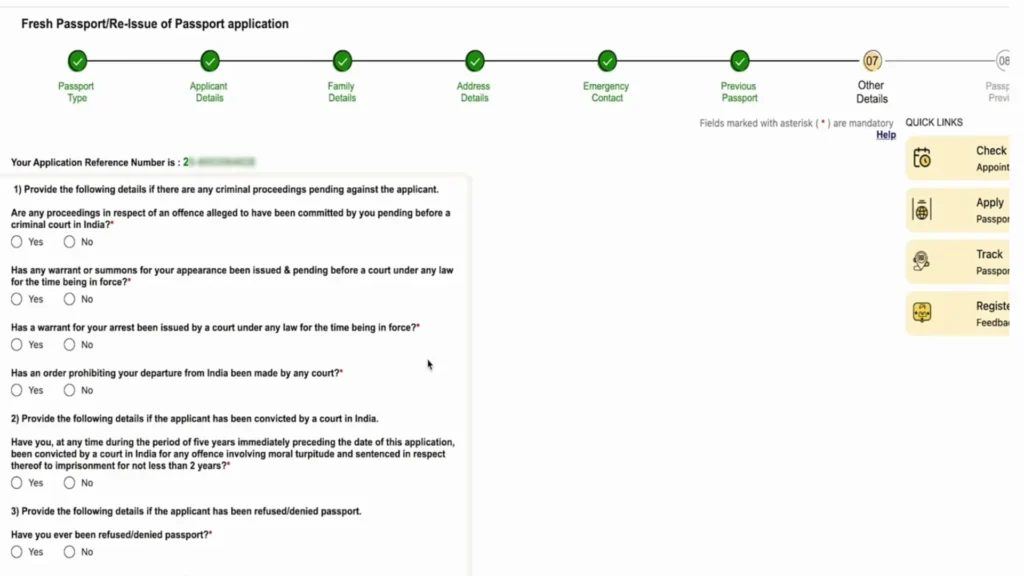
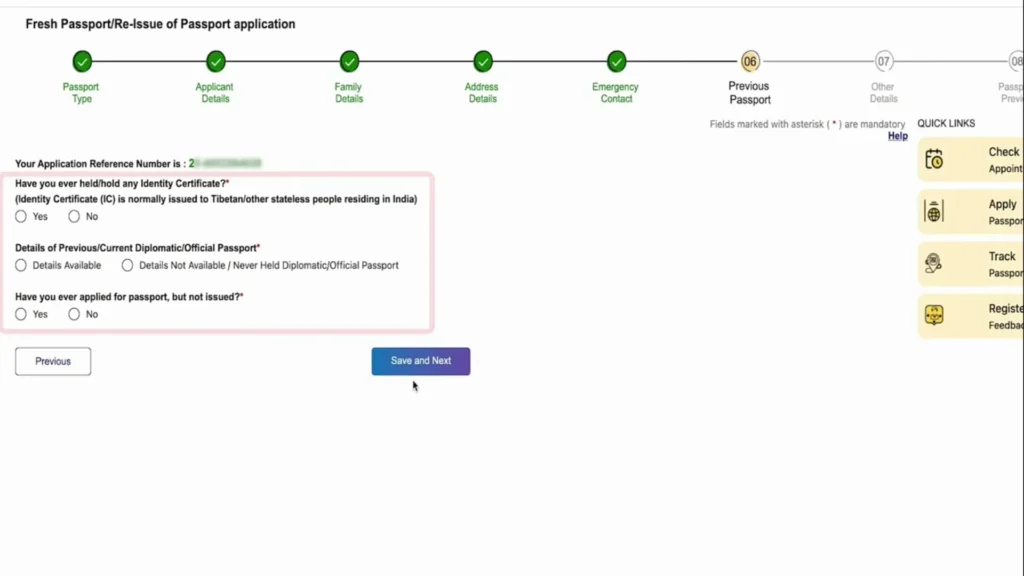
Passport History & Eligibility
Answer these questions carefully to ensure your application is valid:
Select “No” for all unless they truly apply to you. Providing wrong answers may cause significant delays or rejection.
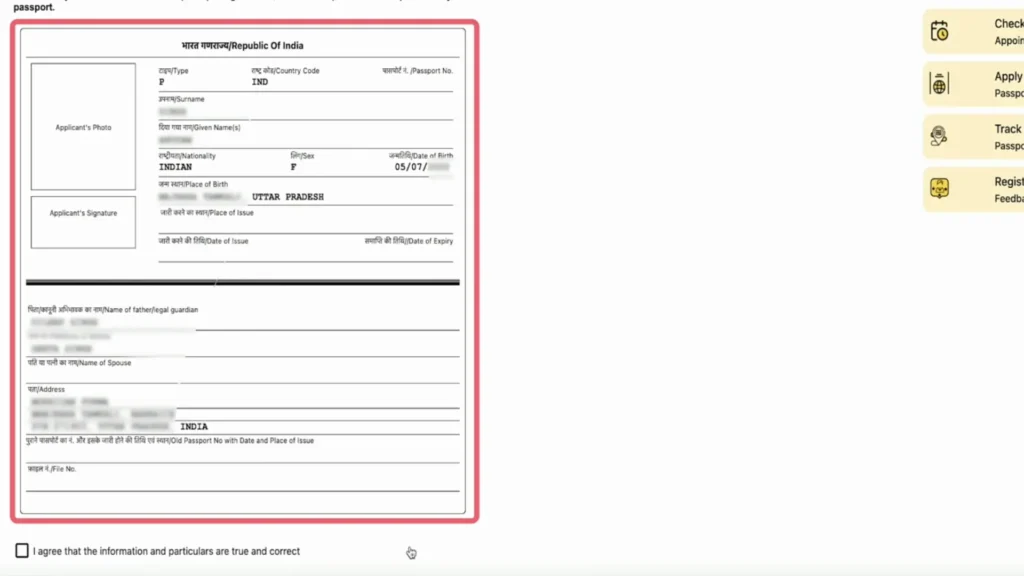
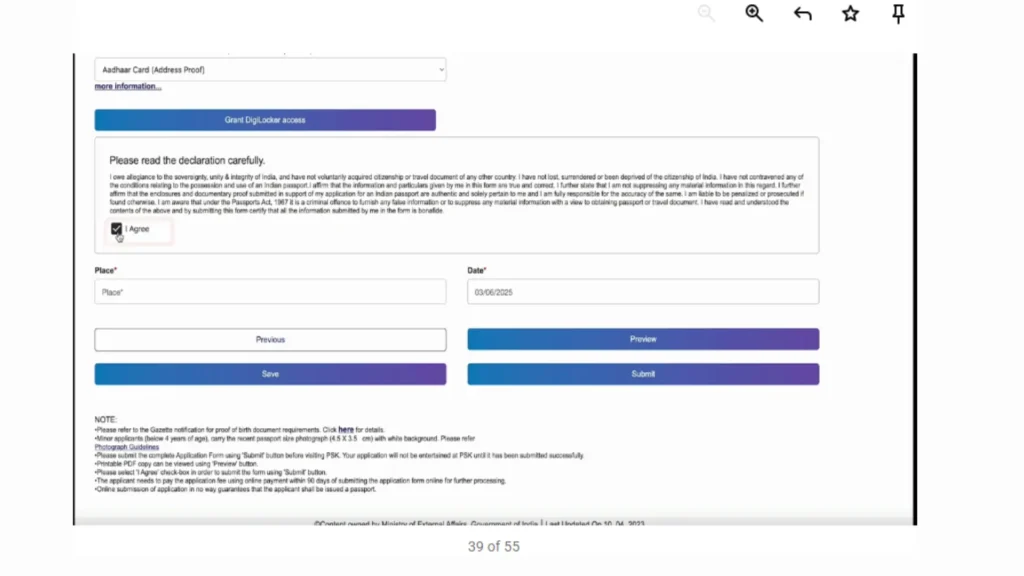
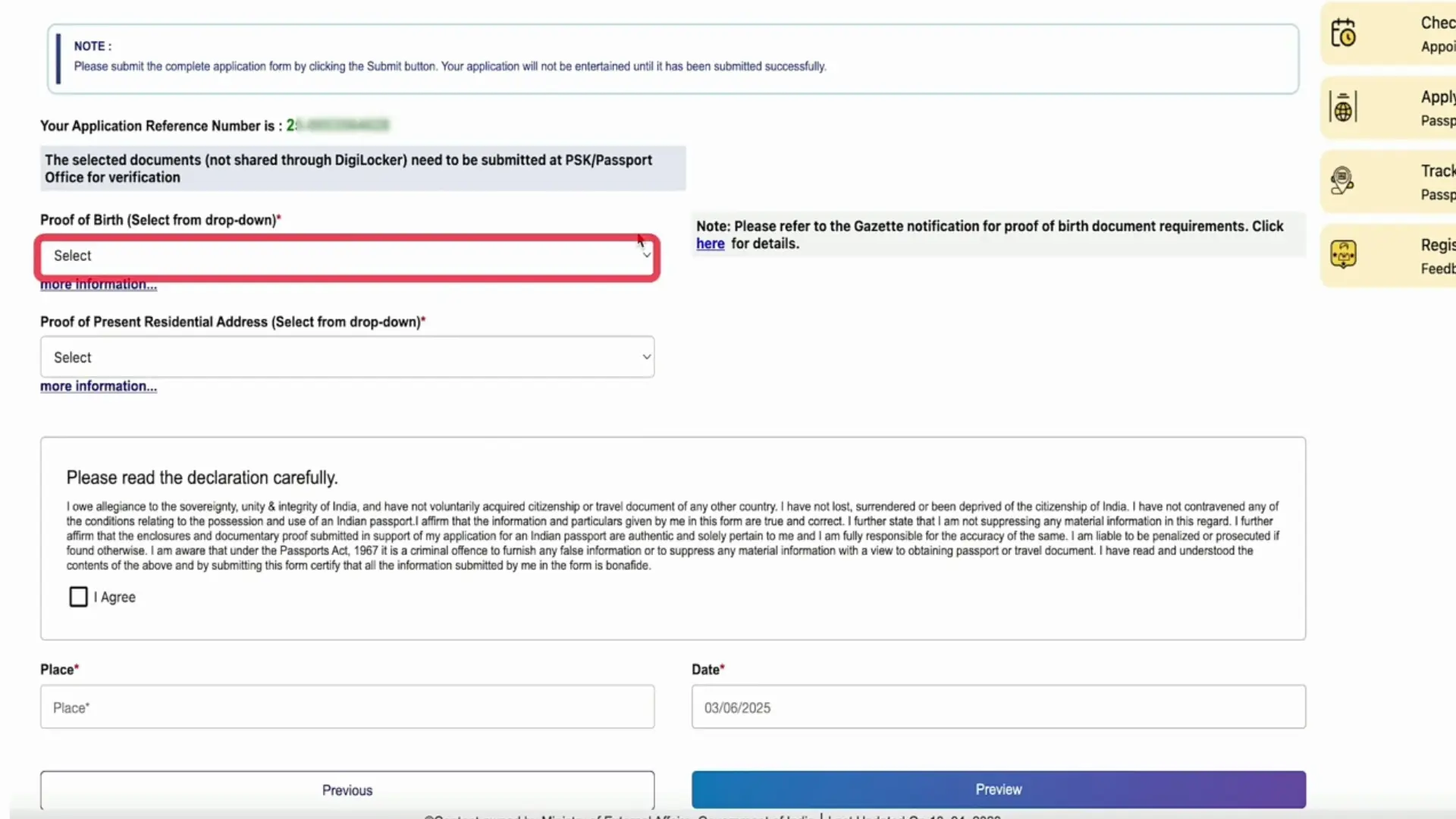
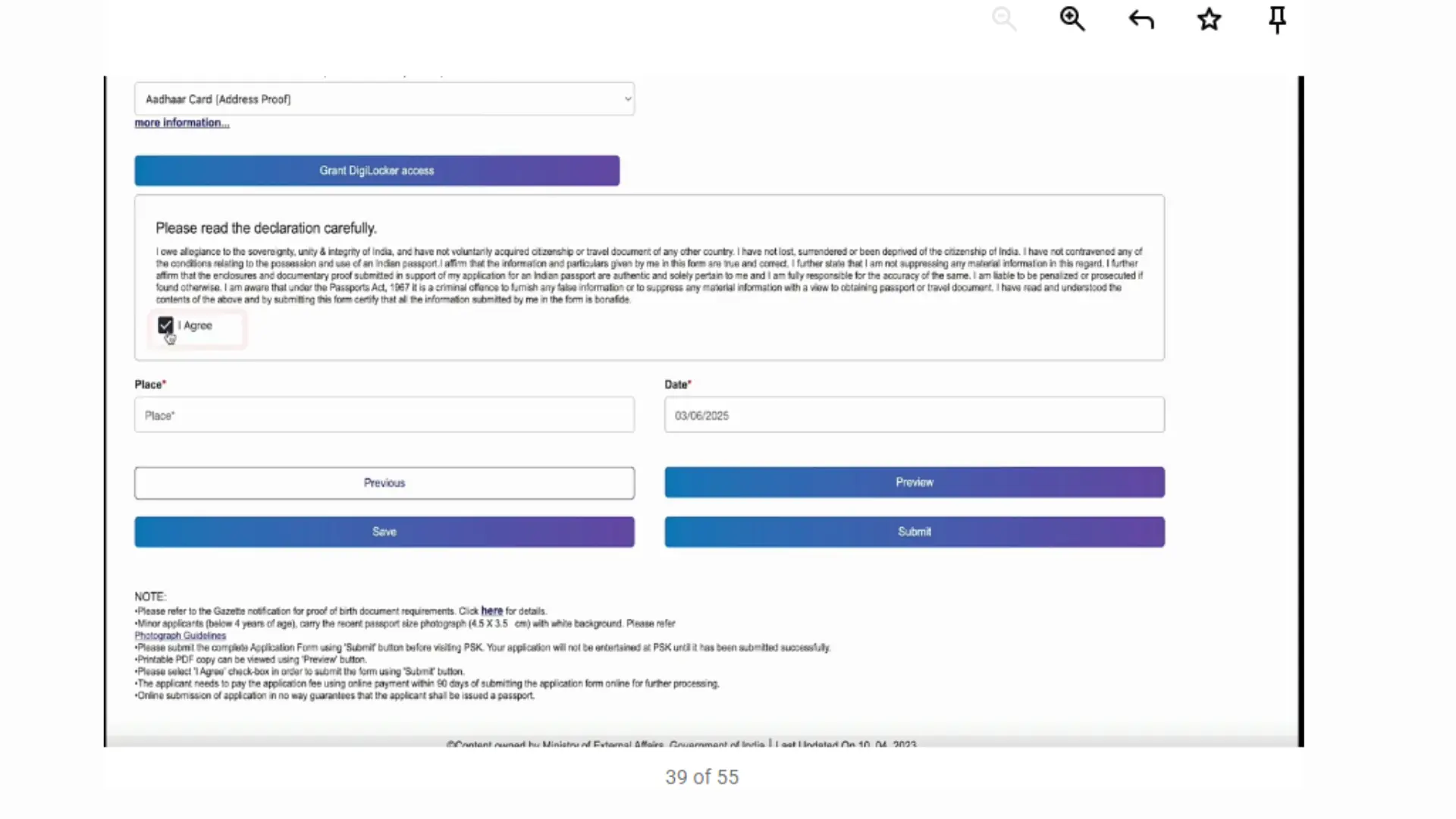
Preview & Final Submission
Review all details carefully before you click submit:
Important: If you find a mistake after submitting, you cannot change it online. You may have to restart the entire application.
Double-check everything. Spend an extra 5 minutes now to save hours of trouble later.
Payment & Appointment Booking
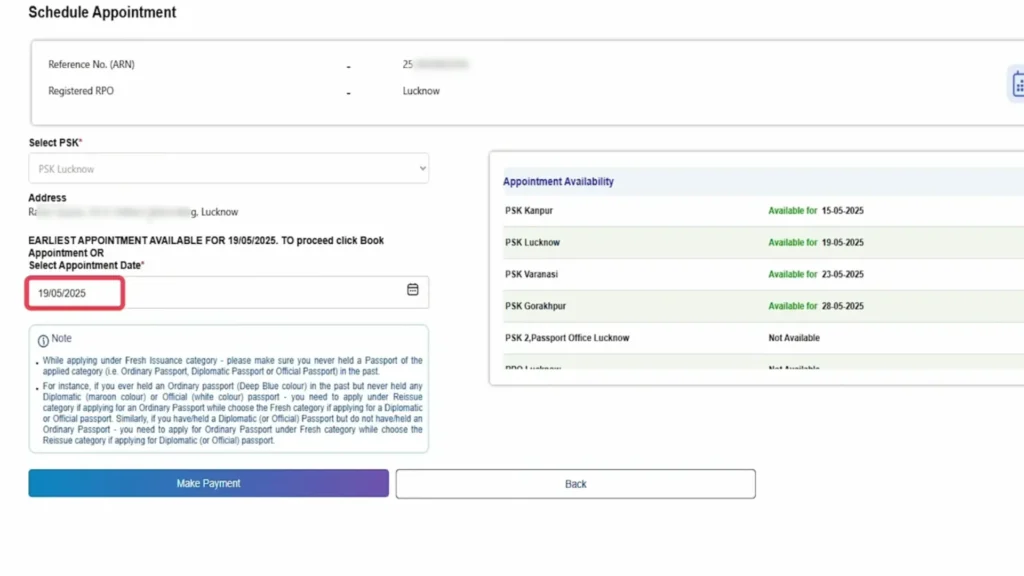
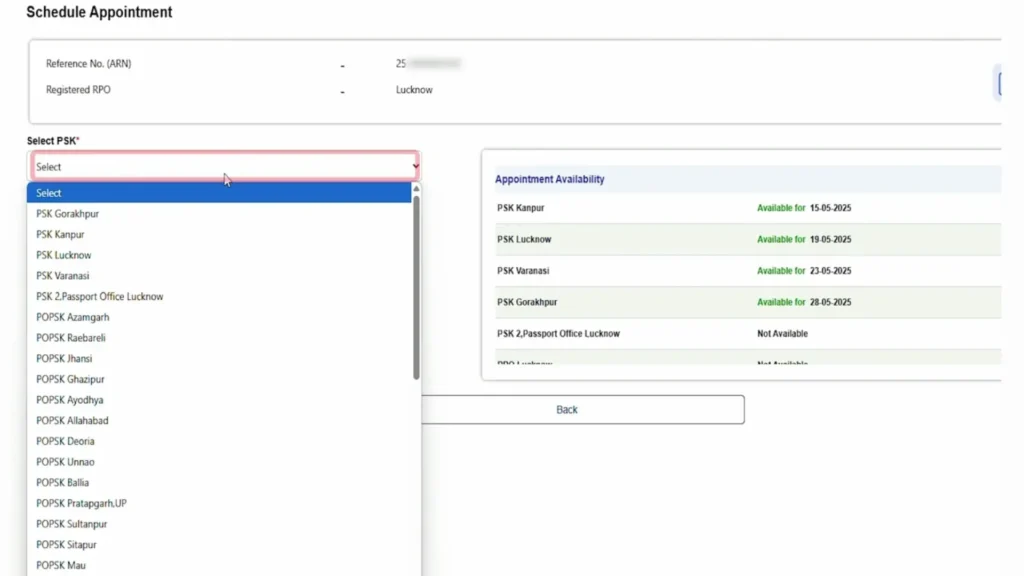
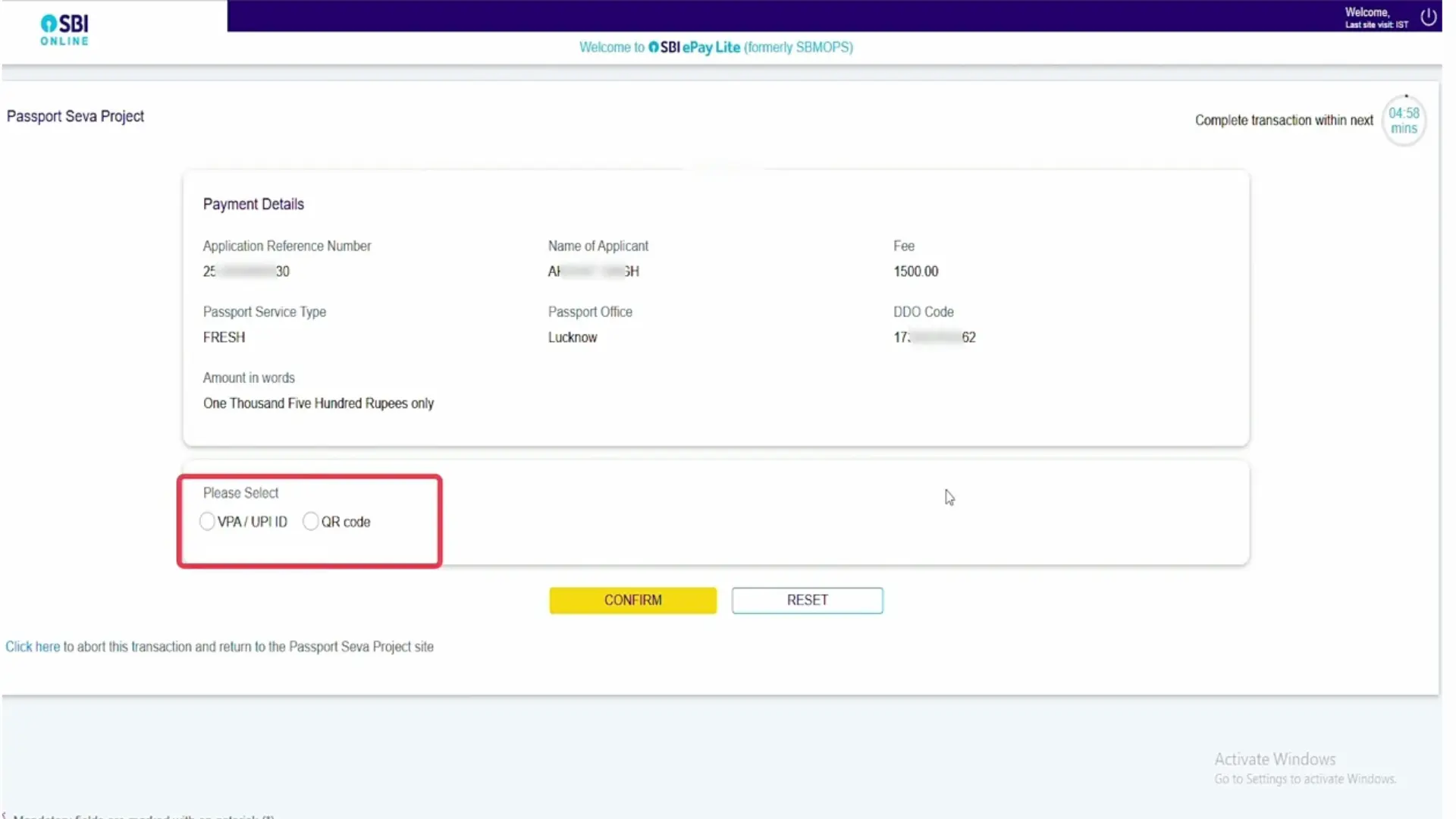
Schedule your Passport Seva appointment online by completing online by following method:
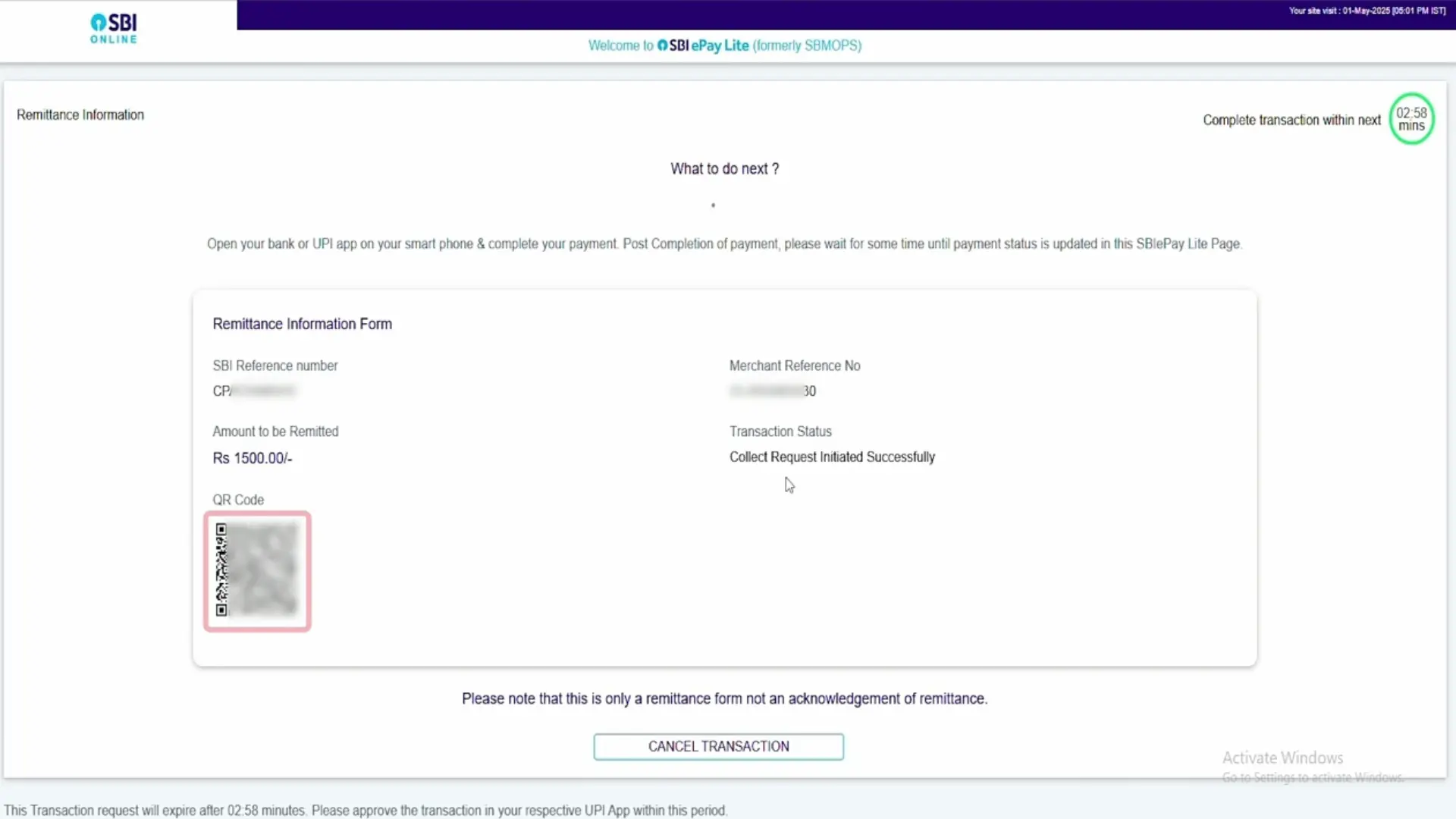
If your payment is deducted but doesn’t update, use the “Track Payment” tool. NEVER pay twice for the same application.
UPI is the fastest method. Ensure you complete the transaction within the time limit to avoid session timeouts.
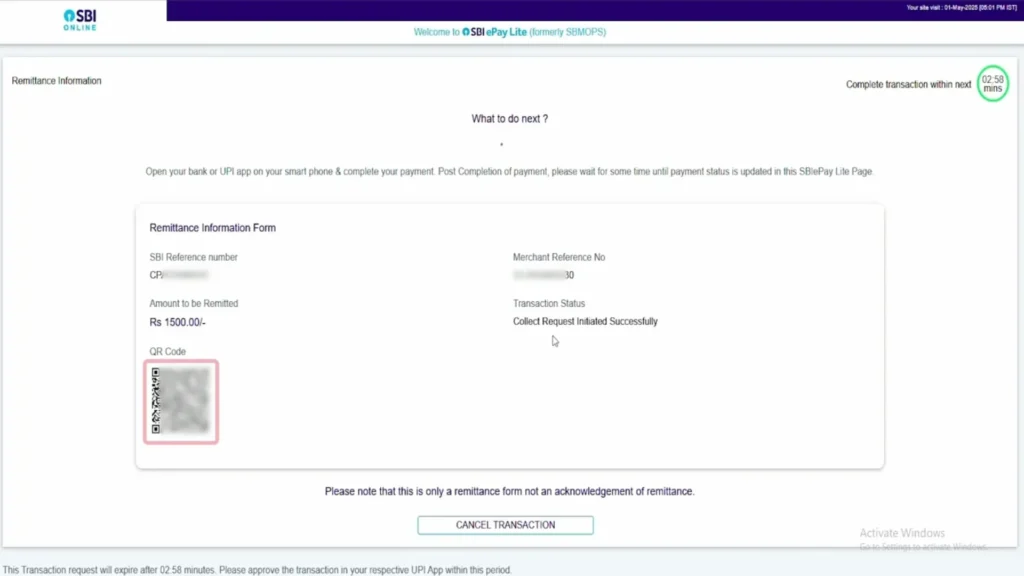
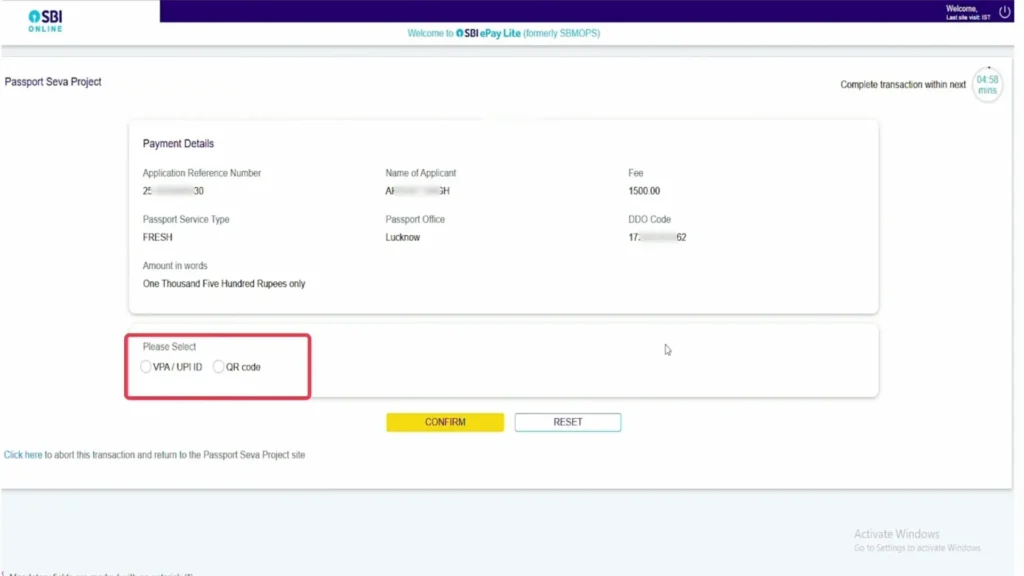
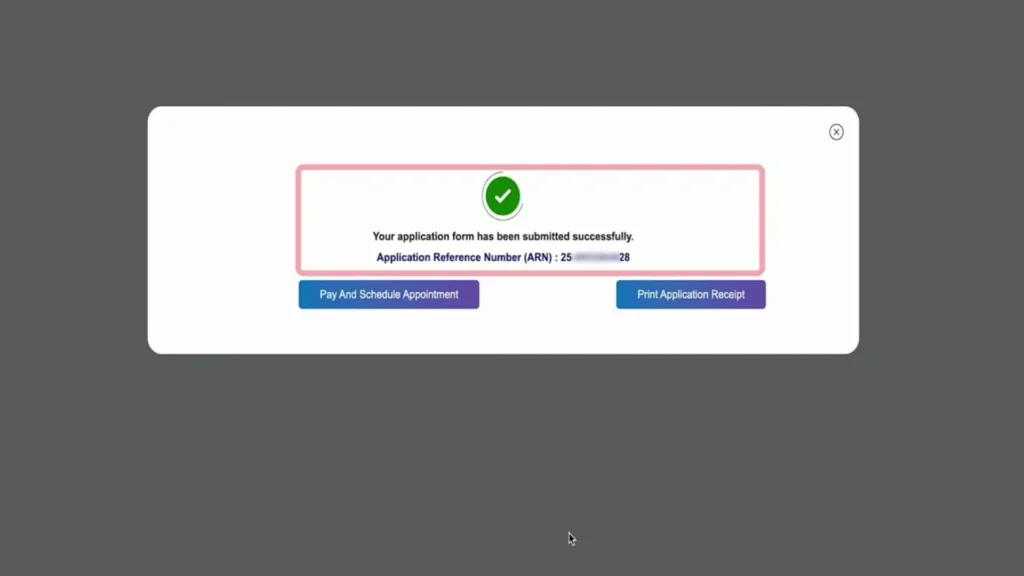
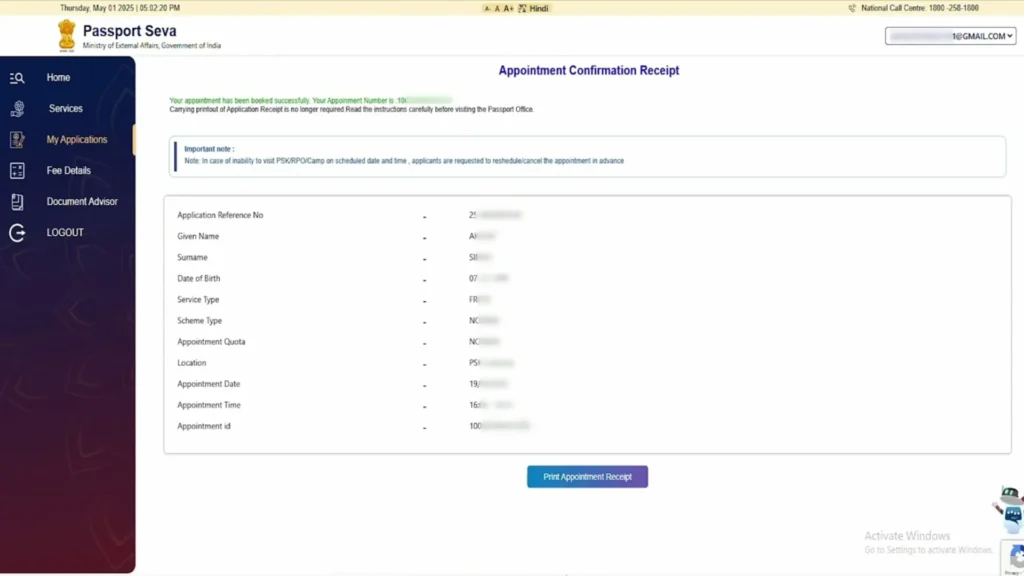
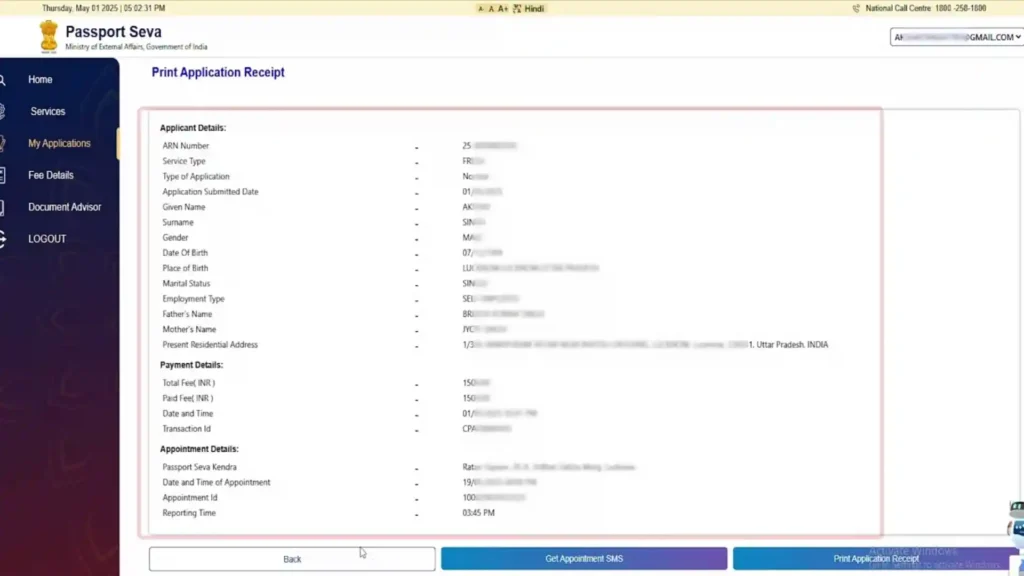
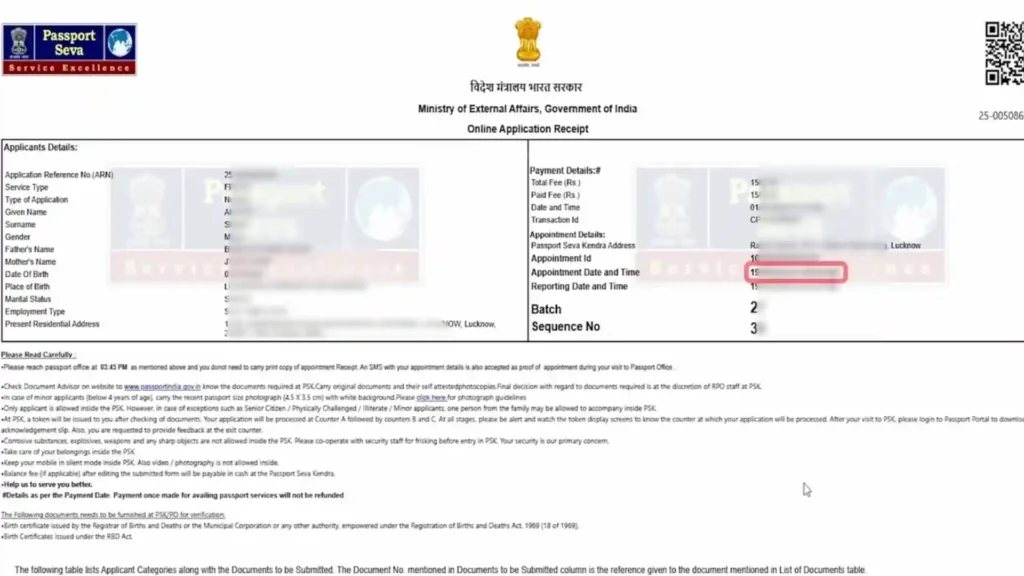
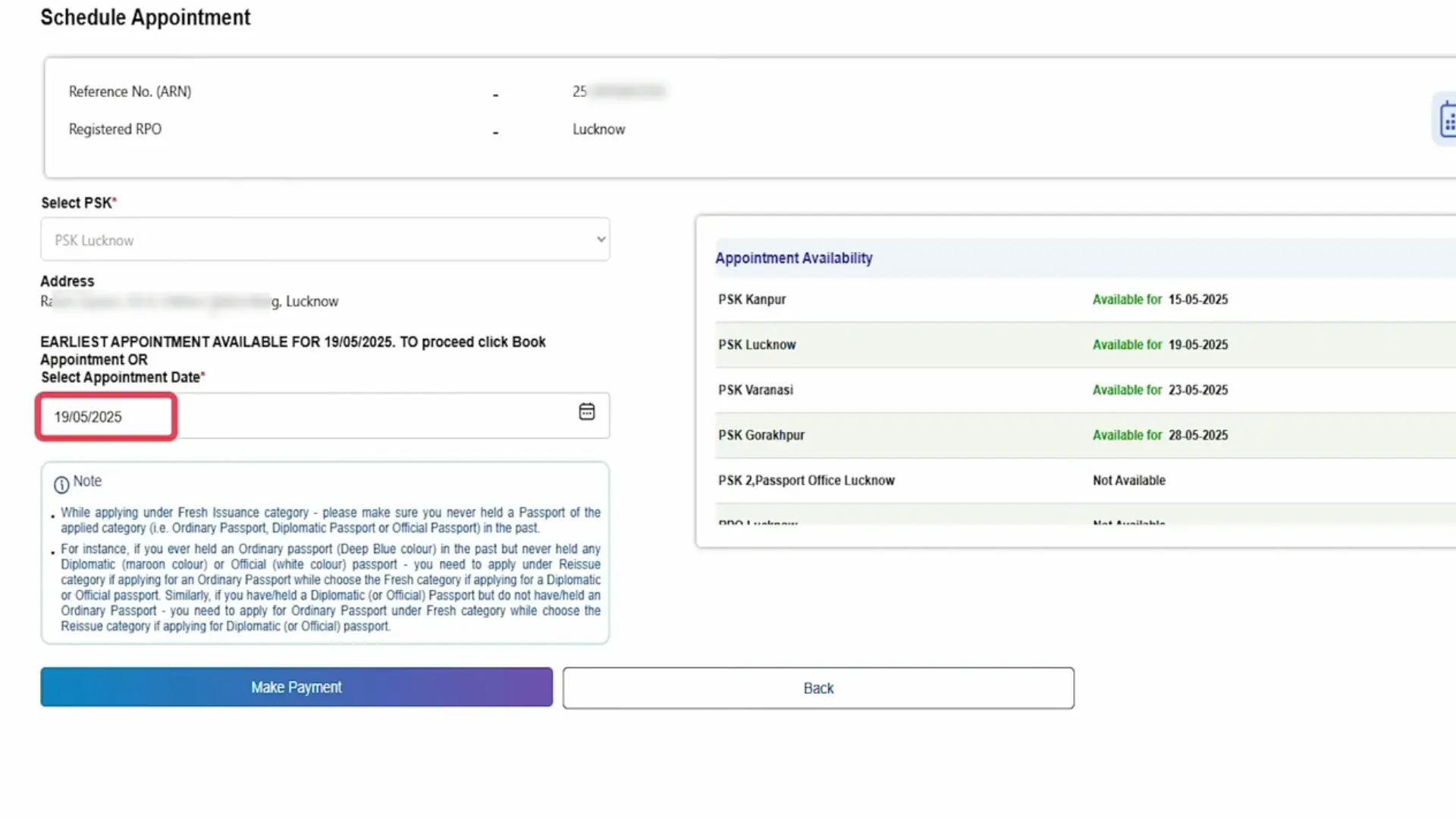
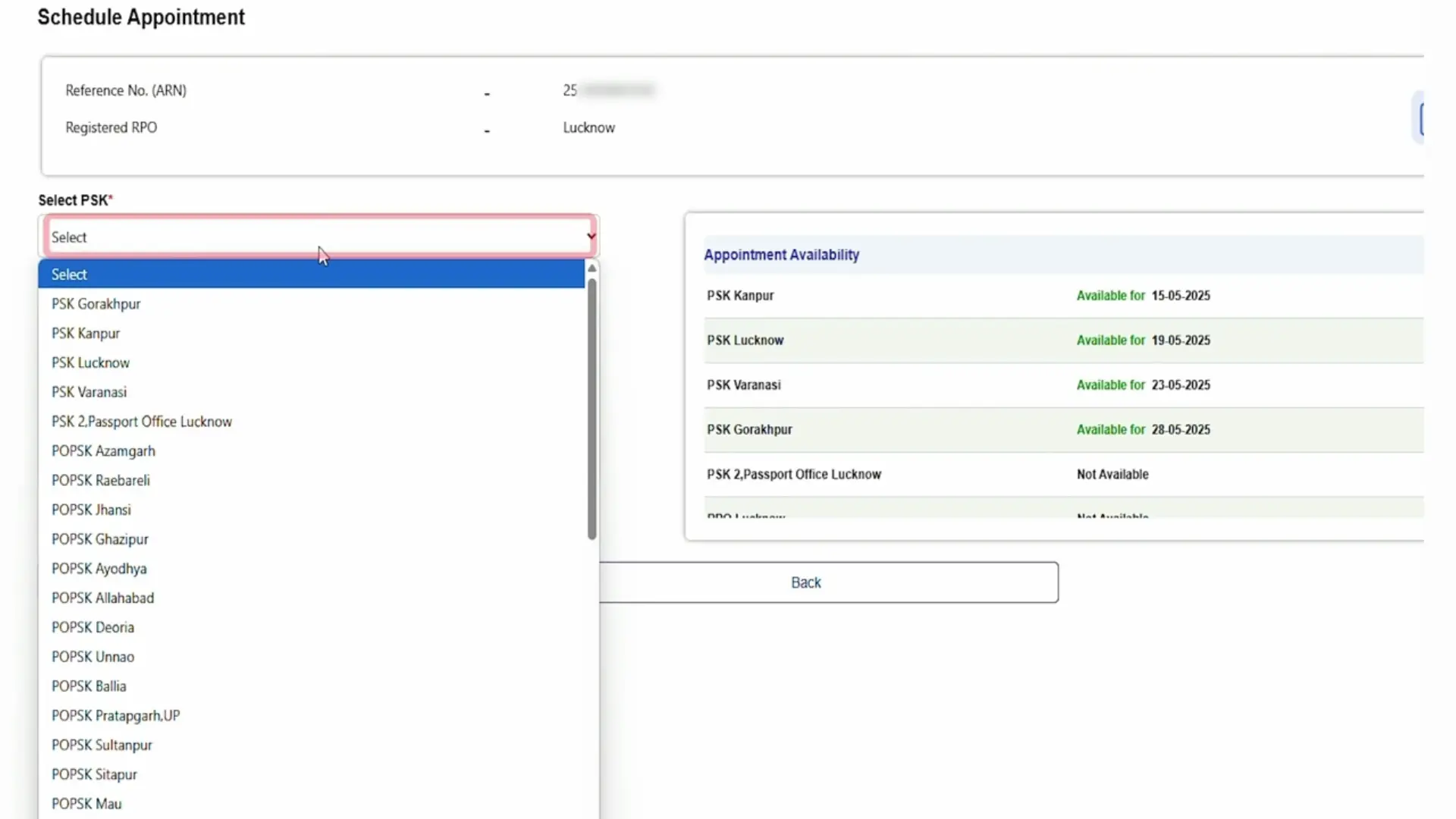
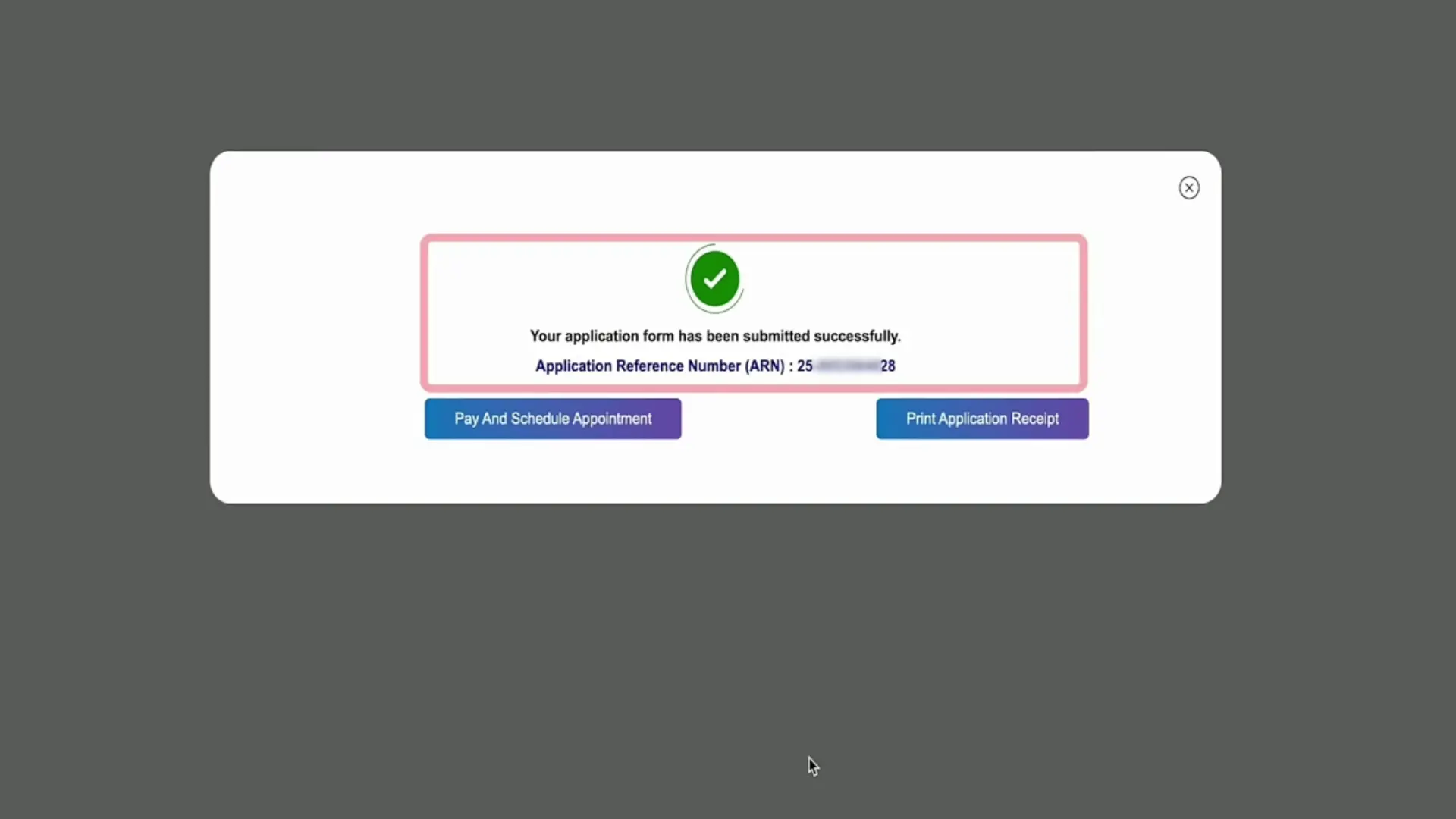
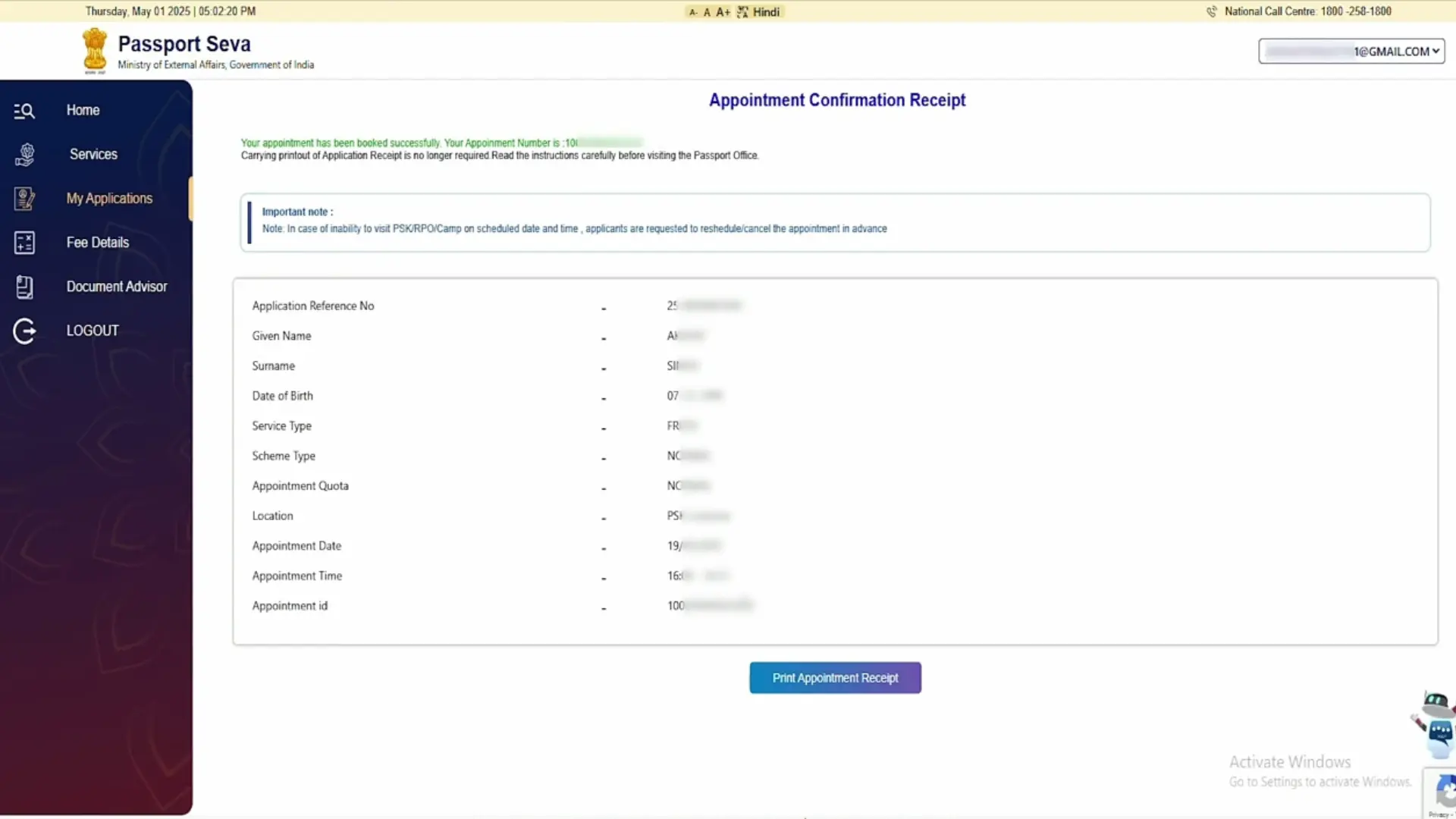
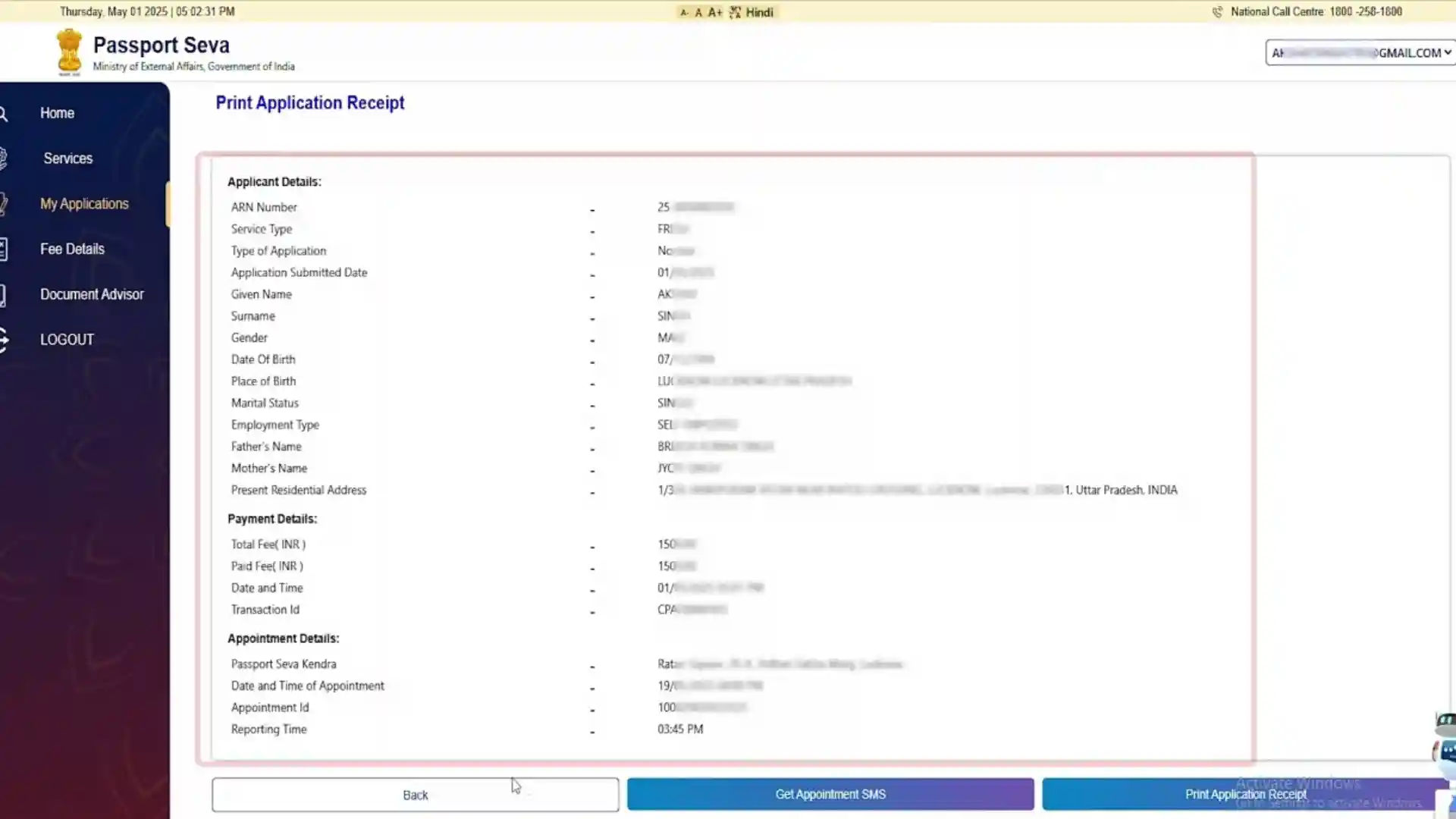
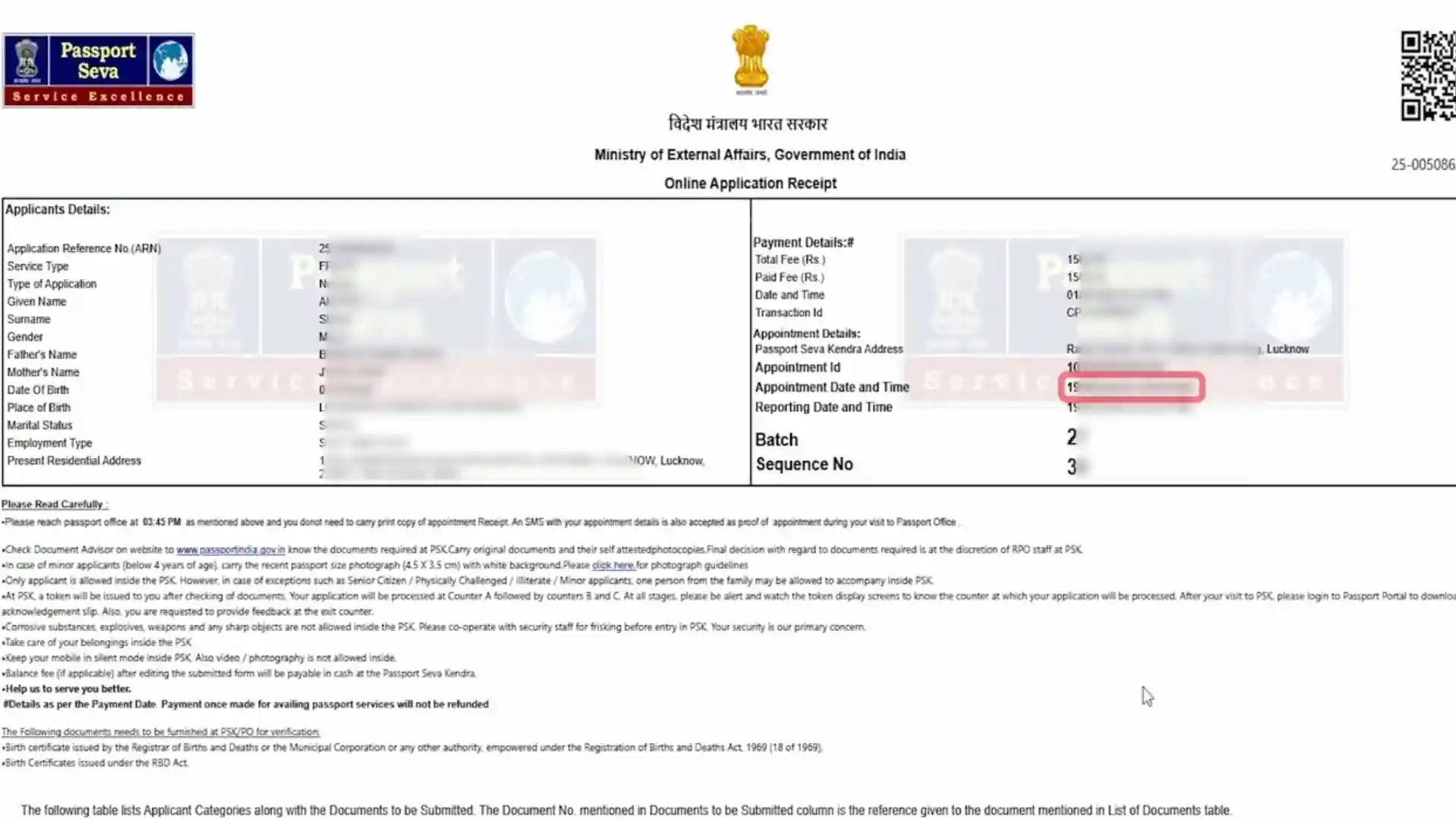
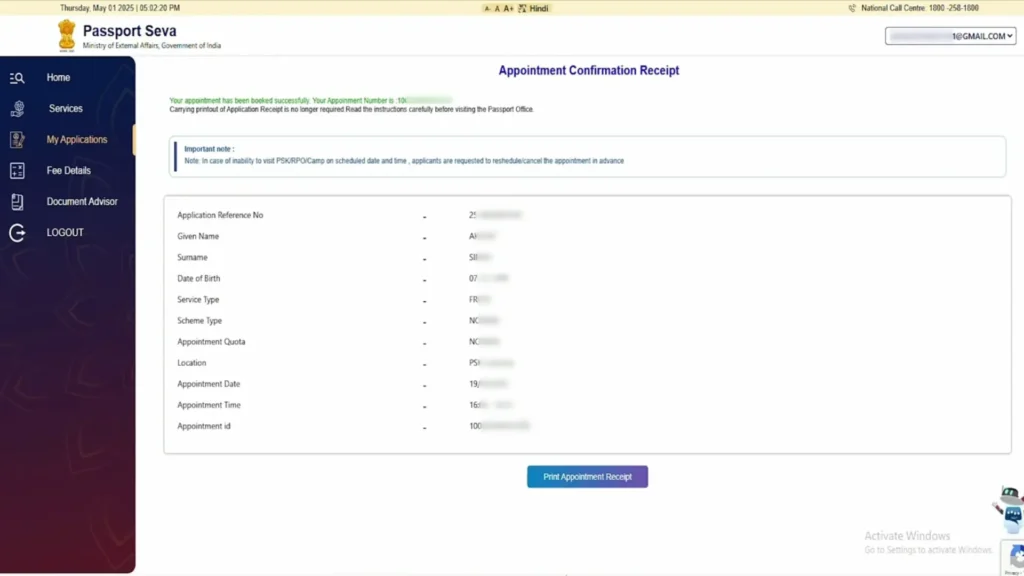
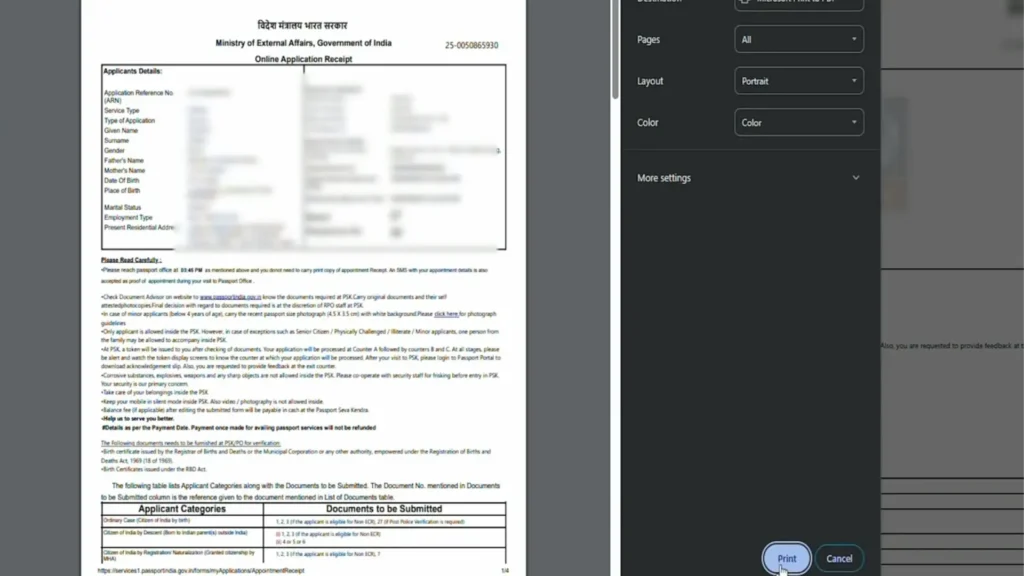
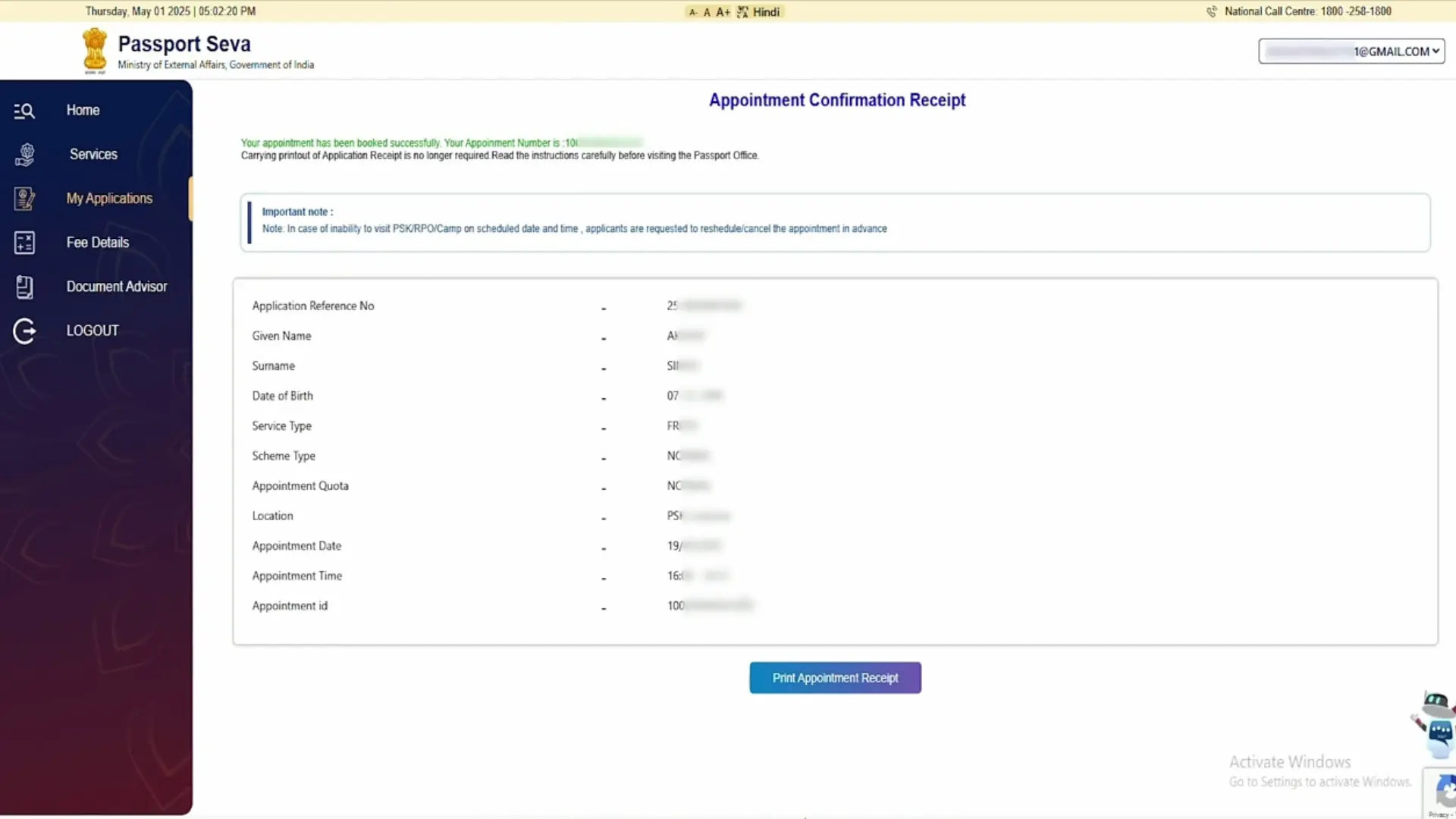
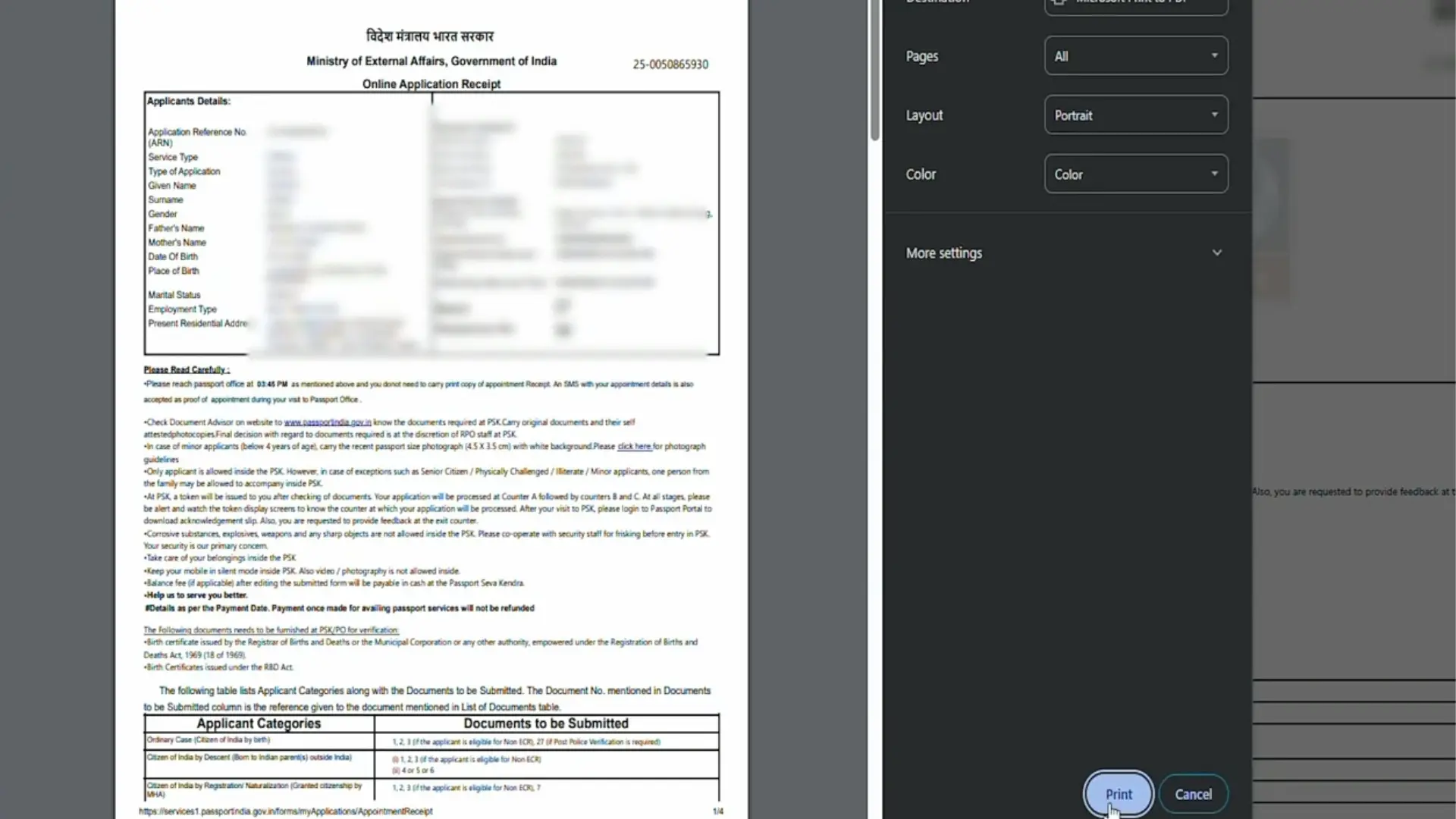
Download Receipt & Visit PSK
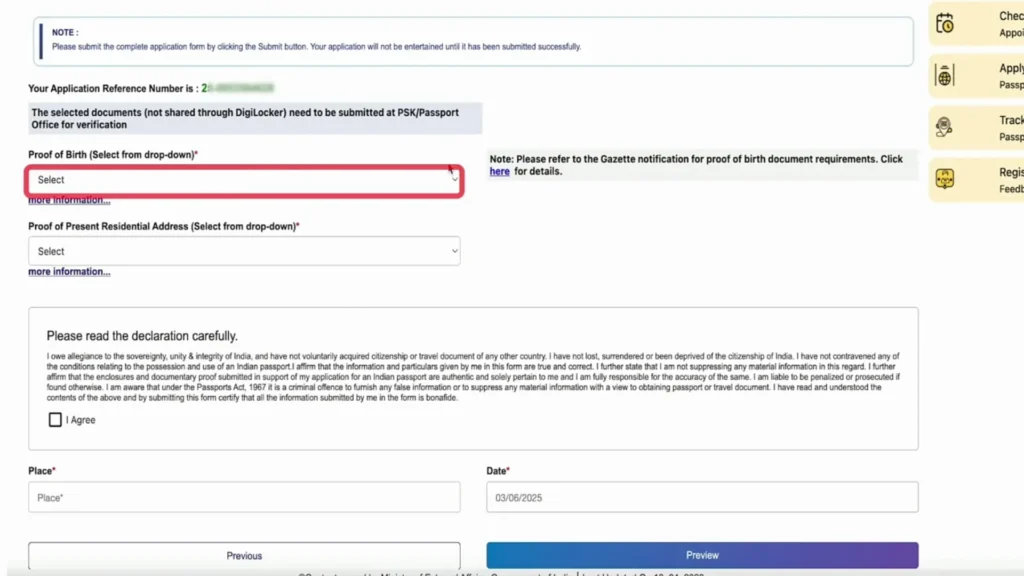
Finalize your application and prepare for the in-person visit:
Attire Tip: Since your passport photo is taken at the center, wear formal or decent attire for a professional-looking passport.
The entire process at the PSK usually takes 1–2 hours. Avoid bringing large bags as storage lockers may not be available.
Police Verification Process
Once you pay the fee and visited the passport Seva Kendra office it will be sent to your local police station for verification process. Where your local police officer will verify your identity and residence and check if you have any criminal history.
Timing
ScheduleVerification usually starts 1–2 days after your PSK visit. You may receive a call or an unannounced home visit.
Required Proofs
DocumentationHave your Address Proof (Utility bill, Ration card, or Village certificate) and Appointment Receipt ready.
Supporting Docs
PhotocopiesKeep a set of photocopies of all documents submitted at the PSK for the police records to ensure a smooth process.
How to Check Passport Seva Status Online
You can easily check your Passport Seva application status online by following these simple steps.
Step-by-Step Process to Track Application
First, visit the official Passport Seva website
Open the Passport Seva online portal using your mobile or computer.
Select “Track Application Status”
On the homepage, click on the option that says Track Application Status.
Choose your application type
Select the service you applied for, such as Passport, PCC, or Identity Certificate.
Enter your Application Reference Number (ARN)
Fill in the ARN provided after you submitted your passport application.
Enter your date of birth
Make sure the date of birth matches the details in your application form.
Click on the “Track Status” button
Your current Passport Seva status will be displayed on the screen.
Passport Delivery
Once your passport application is processed and police verification is complete, your passport is delivered to your address. Here’s how it works:
Normal Passport
Processing time 25-45 days from the date of your PSK visit.
Delivery 1-7 days after police verification is completed.
Logistics Sent via India Post Speed Post directly to your home.
Tracking You can track the delivery through the Passport Seva portal, SMS notifications, or the mPassport Seva app.
Pro Tip: Keep your ARN (Application Reference Number) safe. This is the unique number generated when you submit your application, and it is needed to track both your application status and passport delivery.
Tatkal Passport
Faster processing Usually issued within 1–7 days.
Verification In some cases, it might be conducted after passport delivery, especially for urgent cases.
Priority Tip: Tatkal slots are limited, so book early if you need a passport urgently for travel.
Benefits of Using Passport Seva Portal
The Passport Seva Portal is an online government platform that makes passport services simple and stress-free. It helps citizens apply for, renew, and track their passports easily without unnecessary visits or confusion. Below are the key benefits of using the Passport Seva Portal.
Apply From Home
You can fill out and submit your passport application online without visiting an office first.
Book Appointments Easily
The portal lets you choose, change, or cancel your appointment at a Passport Seva Kendra anytime.
Check Application Status
You can track your passport status online and know exactly what stage your application is in.
Saves Time
Online forms and faster processing help reduce long waiting times and delays.
Safe and Secure
Your personal details and documents are protected through a secure government system.
All Services in One Place
New passport, renewal, reissue, address change, and other services are available on the same website.
Less Paperwork
Most steps are done online, so you don’t need to carry many paper documents.
Online Fee Payment
You can pay passport fees online using debit card, credit card, or net banking.
Available Everywhere in India
Passport Seva Kendras and Post Office centers are available in many cities and towns.
Helpful Updates and Support
You receive SMS and email updates, and the portal provides help and FAQs if you need guidance.
Common Issues & Solutions
Even with a user-friendly portal, applicants sometimes face issues. Here’s a detailed guide to the most common problems and how to solve them.
Login Issues
Problem: Forgot login ID or password
Solution: Click “Forgot Login ID” or “Forgot Password” and enter registered email to retrieve credentials.
Tip: Keep login details saved in a secure place.
Portal Disruption
Problem: Site or portal is temporarily down
Solution: Use mPassport Seva app as an alternative. Wait a few hours and try again.
Tip: Avoid third-party websites claiming to offer “fast passport” services.
Payment Failures
Problem: Payment doesn’t reflect on the portal
Solution: Use Track Payment feature. If transaction fails, retry only after confirmation.
Tip: Never pay twice for the same application.
Incorrect RPO Selection
Problem: Choosing a wrong Regional Passport Office
Consequence: Delays in appointment and police verification.
Solution: Cancel or reschedule application, select correct RPO based on current residential address.
Document Upload Issues
Problem: Blurry, incorrect, or incomplete documents
Solution: Scan clearly, upload in correct format (PDF/JPG), ensure all required pages are included.
Tip: Always carry originals to PSK.
Name / DOB Mismatch
Problem: Spelling mistakes or mismatch with Aadhaar
Solution: Correct details before submission; if already submitted, contact PSK for advice.
Tip: Double-check name, date of birth, and gender before final submission.
Appointment Problems
Problem: Cannot find available slot
Solution: Use the Reschedule option (usually allowed twice). Check portal daily for new slots.
Tip: Early booking is recommended, especially for Tatkal applications.
Police Verification Delays
Problem: Verification not completed or delayed
Solution: Contact local police station. Ensure address proof and documents match application.
Tip: Be available at home during verification to avoid multiple visits.
Delivery Issues
Problem: Passport not received or lost
Solution: Track via portal or India Post Speed Post. Contact Passport Seva customer care if not delivered within expected timeframe.
Passport Seva Services
| Service Type | Key Requirements | Statutory Fee | Timeline |
|---|---|---|---|
| Ordinary Passport | Birth Certificate, Aadhaar, Address Proof, Nationality proof. | ₹1,500 – ₹2,000 |
Standard 15–30 Days
|
| Tatkaal (Urgent) | Normal docs + 3 specific IDs (PAN, Voter ID, Aadhaar). | Normal + ₹2,000 |
Priority 1–3 Days
|
| Police Clearance | Valid Indian Passport, Address proof, Application form. | ₹500 |
Verification 1–4 Weeks
|
| Surrender Cert. | Old Indian Passport, Foreign Passport/Naturalization. | ₹500 |
Consular 1–3 Weeks
|
| Diplomatic | Official ID, Certificate from Head of Office, Political clearance. | Gratis (Free) |
Official 1–4 Weeks
|
| Missions Abroad | Proof of Indian origin/NRI status, Local foreign address. | Fee + Surcharge |
Global 4–8 Weeks
|
| Global Entry (GEP) | Indian Passport, Application details from US CBP portal. | ₹500 – ₹1,000 |
Digital 1–2 Weeks
|
Regional Passport Offices ( RPO) Locations
Find your Regional Passport Office and get navigation details.
National Help Desk
Toll-Free: 1800-258-1800 (Available 24/7 in multiple languages)
Passport Seva Support
If you need to contact Passport Seva team for any assistance like to update information or change RPO you can contact them through the following means:
Support Helplines
Toll-Free Number: 1800-258-1800
Available 24×7 in English, Hindi, Tamil, Telugu, and more.
Email Support: Available via official portal contact form.
Online Assistance
Follow Twitter (X): @passportsevame for:
- Maintenance alerts
- Service disruptions
- New guidelines
Visit a Kendra (PSK/POPSK)
Best for Document VerificationIdeal for minor corrections, submitting additional proofs, or clarifying appointment issues.
Serving 100+ cities including Ghaziabad, Jaipur, Thane, Kottayam, and Thrissur.
Pro Tip: Preparation is Key
Arrive 15 minutes early with your original documents and two sets of self-attested photocopies to ensure a smooth verification process.
Frequently Asked Questions
Share Your Experience with Us
We are dedicated to turning complex procedures into easy steps. If this guide at passportsevain.com helped you today, we invite you to be part of our community.
Review & Engage
Please review our site and leave a comment below. Your feedback is what drives us to create better guides.
Refer a Friend
Found this helpful? Refer others to our site so they can also complete their application without any confusion.
Stay tuned for more.
Bookmark our site and come again for new helpful guides and expert travel resources.
Simple • Fast • Reliable